
View a customer’s warranty and service history
Use a customer profile to see associated warranties and service records.
Open a customer’s history
- Open Customers and find the saved record.
- Select the customer to see their contact summary and associated warranties.
- Open a warranty for its details, Activity, Attachments, and View claims action where available.
- Review Service history on the customer profile for service events from their associated warranties.
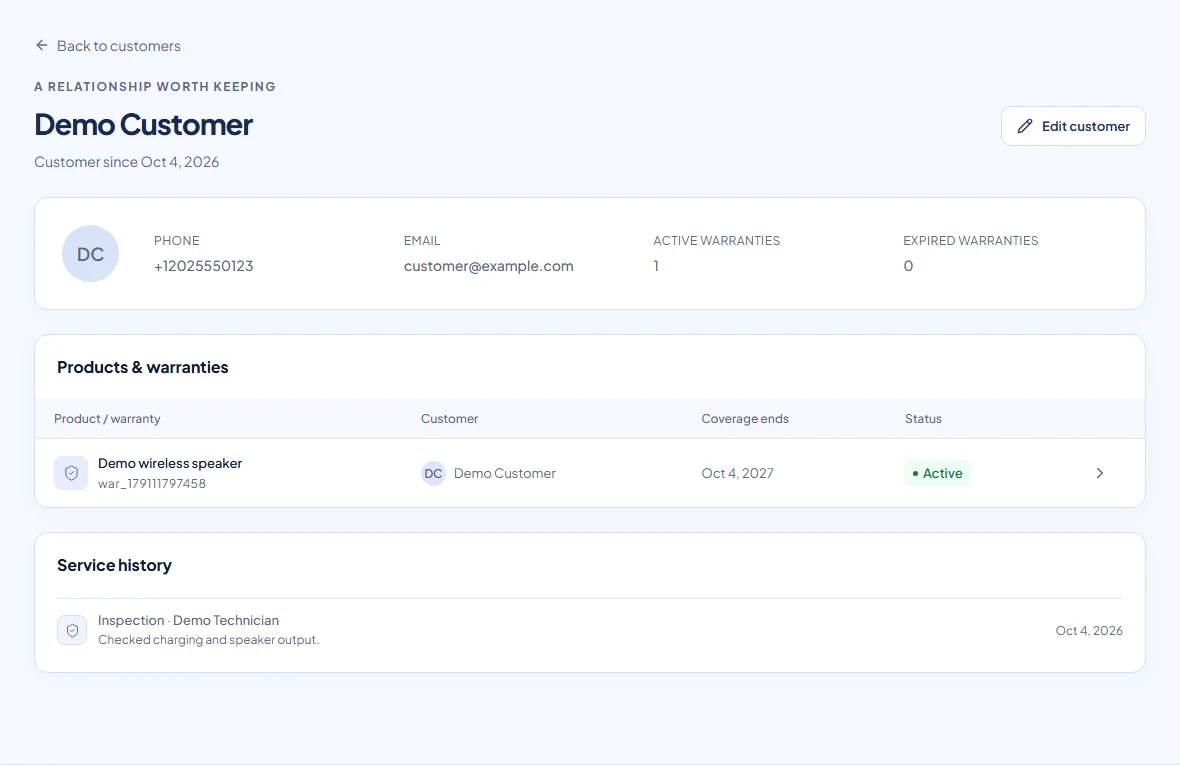
How records stay connected
Warranties keep their saved customer association and the customer details recorded at issue. Service records belong to a warranty and appear in its customer’s history. Claims belong to a warranty and retain their own submitted details.
The profile has no separate claim-history tab; use View claims on a warranty. Updating a customer’s name or email does not rewrite the contact information shown on old warranties or claims.
If history is incomplete
Check whether a different phone or an explicitly selected customer was used at issue. Search Warranties and check the original record before creating anything again. The current interface has no general warranty-customer reassignment control; ask Warly for help if an association is wrong.